From the line design to the technician's hands
Two tools, one package. No server, no subscription for app users.
 1
Write the plan in Builder
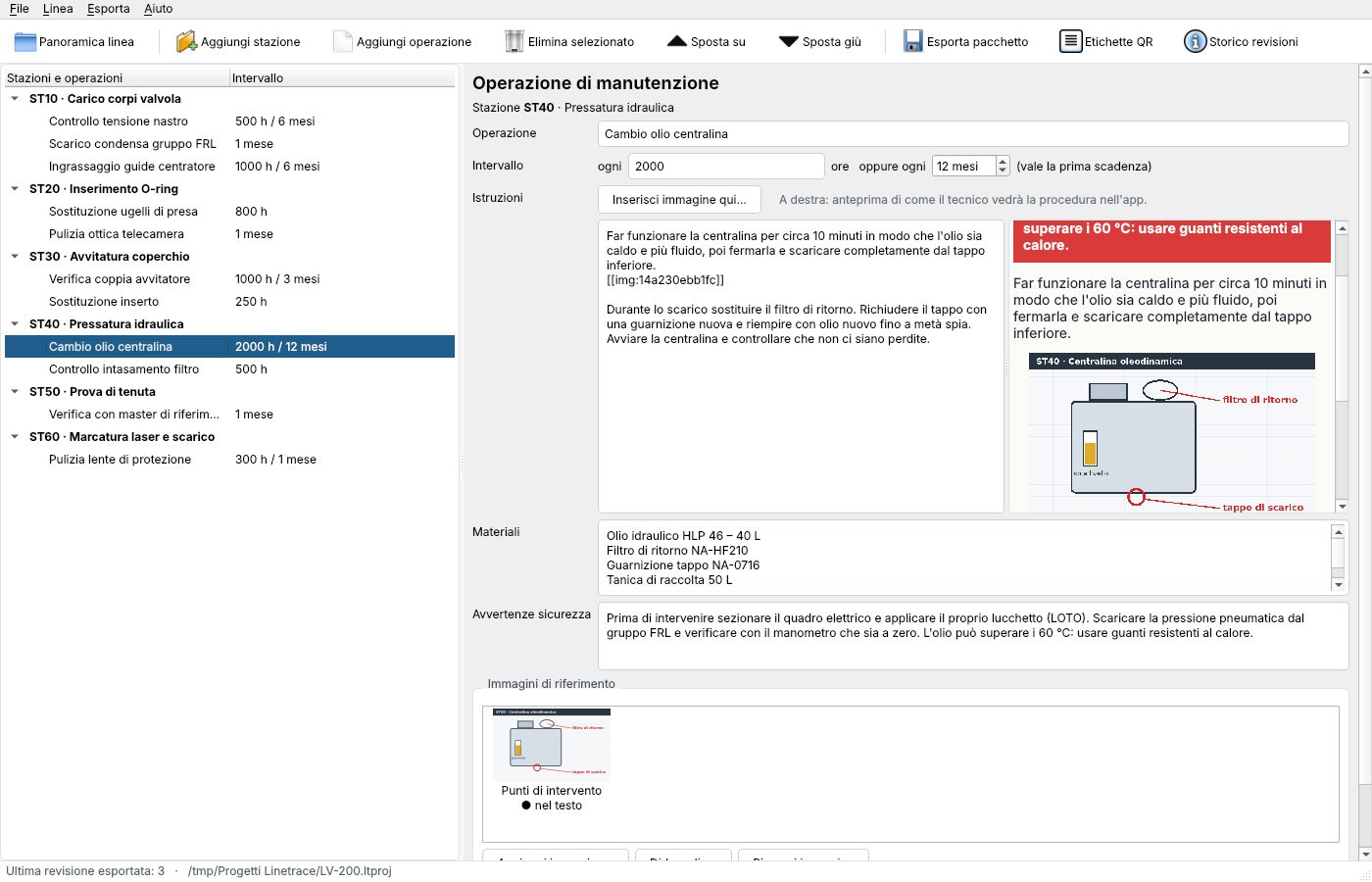
On Windows you define stations and tasks: intervals in hours or months, instructions with inline images, materials and safety warnings.
Export package and labels
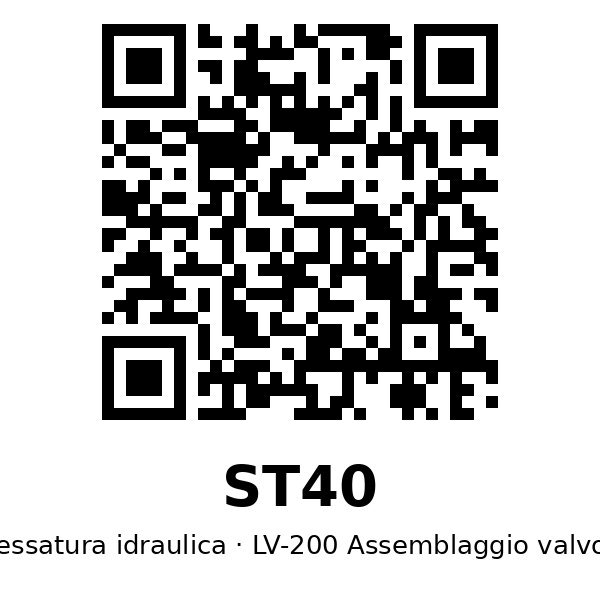
Builder creates a package signed with your company's name, plus QR labels to print and stick on every station.
 3
The technician works with Field
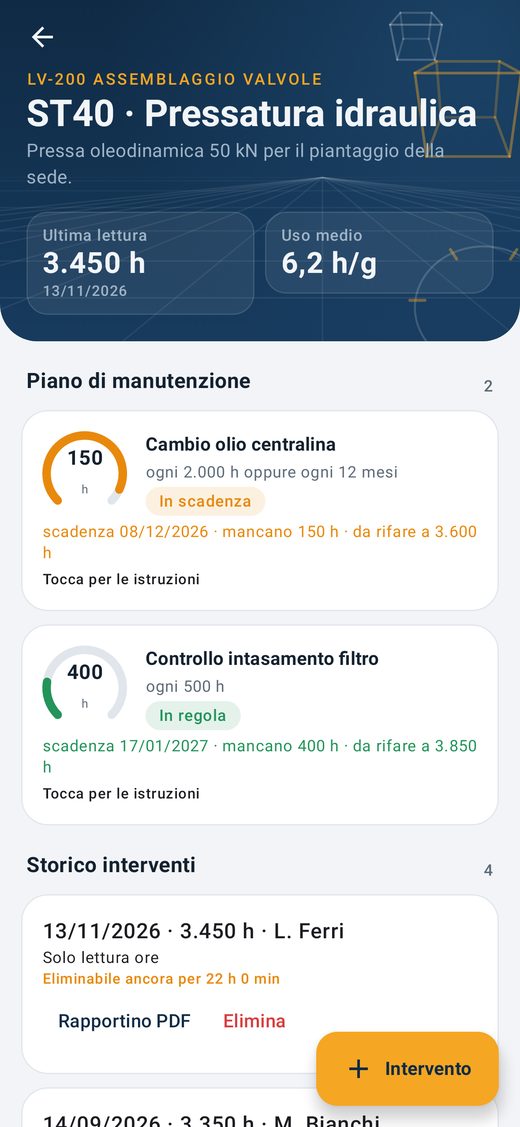
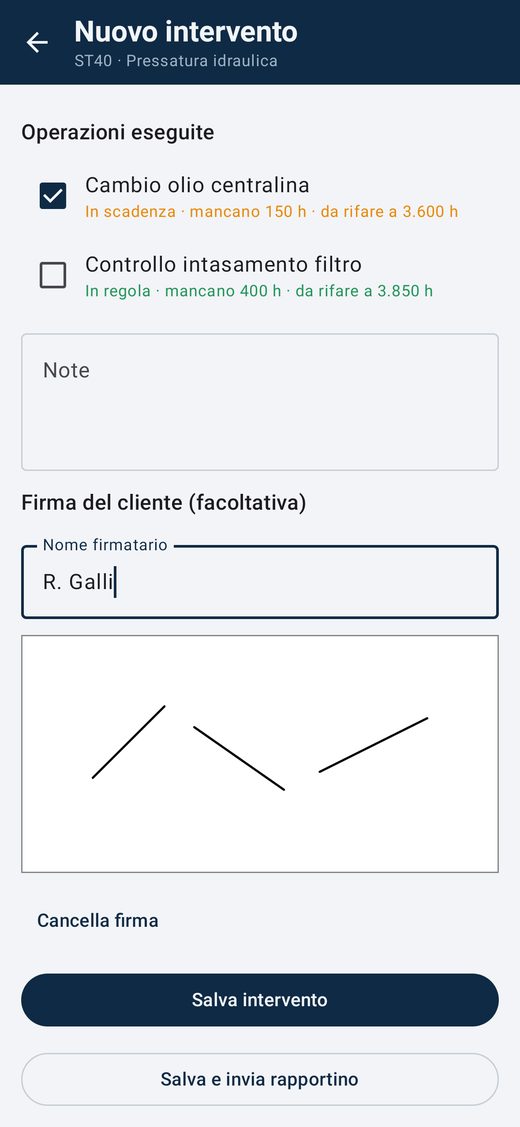
In the Android app they import the package, scan the QR code, read the procedure and log the job with hour meter reading, signature and PDF report.
Builder: write the plan the way you'd explain it
- Plain-language instructions with imagesPlace photos and diagrams exactly where they belong in the text and preview it the way the technician will see it.
- Due dates in hours and monthsEvery 2,000 h or every 12 months, whichever comes first.
- Print-ready QR labelsOne per station, as PDF or image.
- Revisions with historyUpdate the plan, export a new revision, and the jobs already logged stay where they are.
Field: on the shop floor, even offline
- Time left, at a glanceFor every task the app shows hours left, expected date and status: on schedule, due soon, overdue.
- Mandatory, consistent hour readingsEvery job starts from the machine's hour meter reading. Inconsistent readings are flagged.
- Signature and PDF reportThe technician signs on screen and the app generates the report with the builder's logo.
- A history nobody can rewriteA job can be deleted within 24 hours; after that it's final.
- Italian and EnglishFree, works offline, language selectable.
For those who build lines and those who keep them running
Builder is for whoever knows the machine. Field is for whoever maintains it.
Machine and line builders
Deliver the line with its maintenance plan ready to go, signed with your company's name.
- Fewer calls asking how to change a filter
- Your customer sees the plan really comes from you
- Plan revisions even after delivery
Plants and maintenance departments
Keep lines from different builders under control in a single app, or write the plan yourself for machines that don't have one.
- Search by line or builder
- Jobs tracked with hours, signature and date
- PDF reports ready for audits and quality
A plan that can't be forged
When the technician imports a package, Field checks who it comes from and that nobody has changed it.
Signed by the company
Every licence has its own key. The package carries the signer's name and Field shows it next to the line.
Intact, file by file
If even one image is changed after export, the app notices and reports it.
With a trusted date
The signature gets a timestamp from an independent service, so you know when it was applied, even years later.
One licence per company, unlimited seats
Only those who write plans pay. Technicians use Field for free.
Annual licence
Per company, renewed yearly
- Unlimited lines
- Unlimited Builder seats in your company
- Signature with your company's name
- Updates for the whole term
Field app
Android, for technicians
- All imported lines
- Jobs, signature and PDF report
- Works offline
What you've published stays yours
If the licence expires, plans already exported stay valid and readable forever; only new revisions stop. And if Linetrace were to cease trading, current licences become perpetual.
Frequently asked questions
Do I need an internet connection?
No. Builder and Field work offline. The package goes from PC to phone as a file, for example by e-mail, cable or shared folder.
Which devices does it run on?
Builder runs on Windows. Field runs on Android phones and tablets with a camera to read QR codes.
How are the remaining hours calculated?
From the latest actual reading of the machine's hour meter. If a task has never been done, counting starts from the machine's hour zero. The expected date is estimated from average daily use.
What happens when I update the plan?
You export a new revision. The technician imports it and the history of jobs already logged stays intact.
Can I modify another builder's plan?
You can start from their package to create your own. It becomes a new line, signed by your company, showing which plan it derives from. The original is left untouched.
How many people can use Builder?
Everyone in your company: the licence has no seat limit.
How do I activate the licence?
You receive the program with the licence file and, separately, an activation code to enter on first launch.
Which languages are the programs in?
Field is available in English and Italian; Builder is currently in Italian. You write the maintenance instructions yourself, in your technicians' language.
Let's talk about your line
Request the 30-day trial, a licence quote or the Field app. I reply personally.
Privacy notice
Data controller: the person responsible for Linetrace, reachable at info@linetracefield.com.
What data: what you enter in the request (name, company, e-mail, VAT number if given, and message). This site uses no cookies or tracking tools, loads nothing from external services and does not store form data: the request is sent from your own mail program.
Why: to answer your request, send you a trial or a quote and, if you buy, manage the licence. Legal basis: pre-contractual and contractual measures (Art. 6(1)(b) GDPR).
How long: as long as needed to handle the request and, if there is a contract, for the licence term and any subsequent legal obligations.
Your rights: you can request access, rectification, erasure, restriction or object by writing to the address above, and you can lodge a complaint with the Italian Data Protection Authority (Garante per la protezione dei dati personali).